

Table of Contents
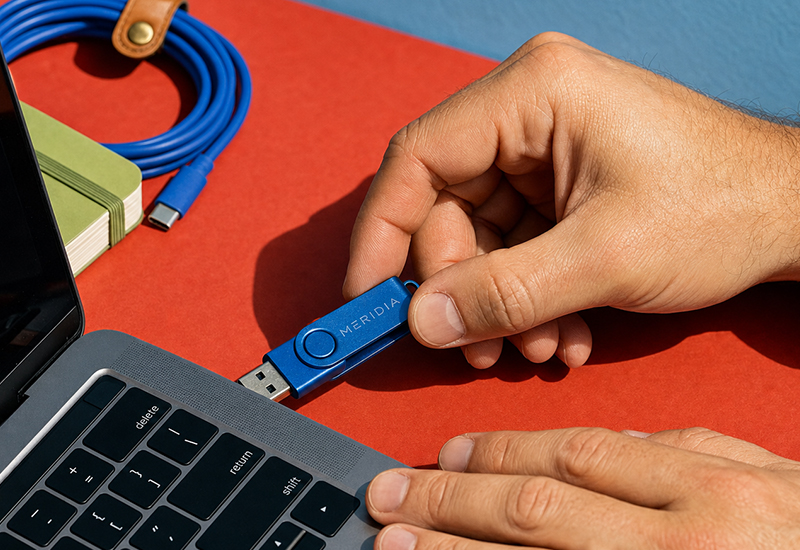
There’s a small paradox at the heart of corporate merchandise: we live in the age of the cloud, of shared links and “I’ll just send it over”, and yet custom USB flash drives remain one of the most requested promotional items around. It’s not nostalgia. It’s that a physical object, with your logo on it, that genuinely ends up in someone’s pocket, still does a job that a cloud file simply can’t.
This isn’t another checklist of “things to consider before buying a USB flash drive”. It’s designed to help you choose the right one, by actually understanding the differences between models — and perhaps picking up a curiosity or two along the way.
A more interesting object than it looks: a brief history of the USB flash drive
Before getting into GB and materials, it’s worth explaining where this object we now take for granted actually comes from.
The story begins in the late 1990s with Dov Moran, an engineer and entrepreneur who founded the company M-Systems. The most widely told anecdote — and the nicest one, if it’s entirely true — recounts a presentation to a group of investors that went wrong: once the laptop was connected to the screen, something failed, and with that laptop out of reach, the whole presentation ground to a halt. Out of that frustration came the idea of a small, pocket-sized storage device that could always be carried around, without depending on a single computer.
The patent for what we now call the USB flash drive (or pen drive, or memory stick) was filed in April 1999. The first commercial model, with a mere 8 MB of memory — barely enough today for a couple of photos — reached the market the following year, distributed by IBM. From there, growth was rapid: USB flash drives effectively retired the floppy disk and drastically reduced the use of burned CDs, offering something that hadn’t existed before — plenty of storage, in your pocket, without the fragility.
Three lesser-known facts about the USB flash drive:
- There are USB flash drives as small as a fingernail capable of storing up to 256 GB of data — more than the memory of many smartphones from a few years ago.
- The most expensive USB flash drive ever made comes from jeweller Shawish Geneva: 18-carat gold, set with diamonds, priced at around €36,000. An extreme case, but a useful reminder of just how elastic the idea of a “promotional item” can be.
- USB flash drives have even been used aboard the International Space Station to store scientific data — portability, it seems, matters even in orbit.
Why start with the history rather than the technical specifications? Because it helps make an important point: the USB flash drive isn’t an “outdated” object that’s simply survived out of inertia. It’s one of the few computing inventions of the last thirty years to have solved a real problem so effectively that it’s never truly been replaced — only joined by the cloud, not made obsolete by it.
How many GB do you actually need? (Not the generic answer you’ll find everywhere)
Most online guides stop at “it depends on your needs”, which, honestly, doesn’t help anyone decide. Let’s be more concrete, with real reference points for how much space the content typically loaded onto a promotional drive actually takes up.
| Capacity | What realistically fits | Recommended use |
| 2–4 GB | A PDF catalogue, a PowerPoint presentation or two, a small portfolio of documents | A budget-friendly option for trade fairs and large-scale events, where the value lies in quantity and brand recall rather than the content stored — e.g. Rotate-basic 2GB flash drive |
| 8–16 GB | Catalogues with high-resolution images, short promotional videos, several presentations, a small photo archive | The best-balanced option for most business uses: welcome kits, client materials, press kits — e.g. USB Stick 8 GB or Rotate-basic 16GB flash drive |
| 32 GB and above | Full photography portfolios, HD video, software or digital toolkits, extensive technical documentation | Premium corporate gifts, kits for key staff or clients, substantial training materials — e.g. Rotate-basic 32GB flash drive |
A practical point worth knowing before you order: on many promotional models, branding (logo, colours, text) can only be printed on one side of the device. It’s not a limitation across every supplier, but it’s common enough to be worth checking specifically before finalising your order, especially if your design includes elements on the reverse too.
Materials: plastic, metal, wood and bamboo — what each one says about your brand
The choice of material isn’t just an aesthetic one: it’s a brand positioning decision.
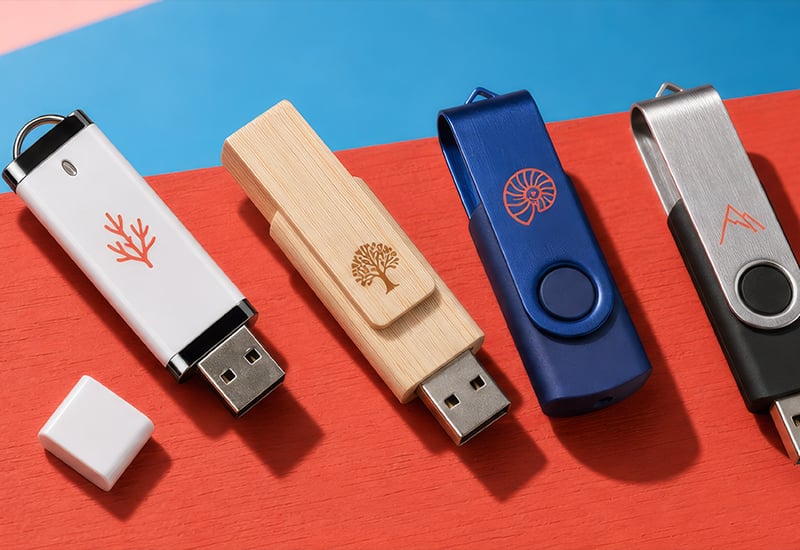
- ABS plastic — the timeless classic. Affordable, lightweight, available in virtually any Pantone colour. It’s the right choice when the goal is large-scale distribution (trade fairs, mass events) and the per-unit budget needs to stay tight. An example is the Rotate-basic flash drive.
- Metal — conveys solidity and a more premium feel, without a significant cost increase. It lends itself particularly well to laser engraving, which gives an elegant, long-lasting result on this material. See the Rotate-metallic 4GB flash drive.
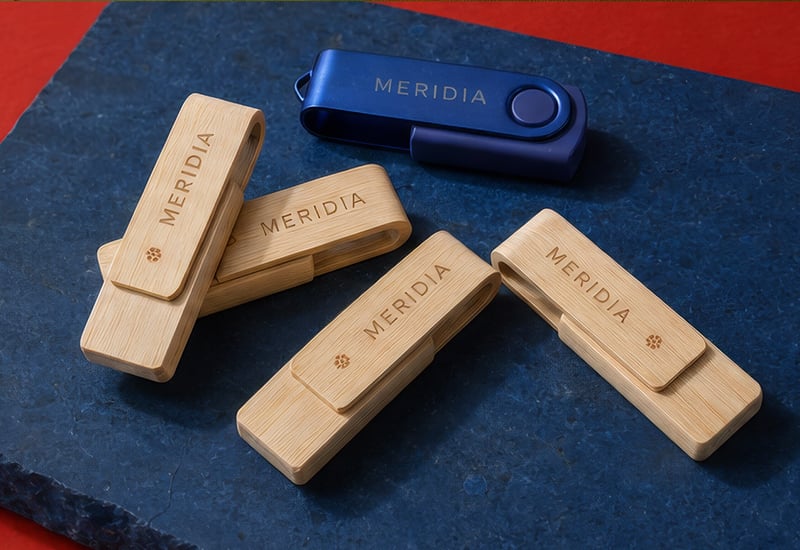
- Wood and bamboo — the most coherent choice for a brand wanting to signal a genuine commitment to sustainability. Each piece has slightly different grain patterns, giving the finished item a handcrafted feel that neither metal nor plastic can replicate. Available as the Rotate 4GB bamboo USB flash drive and the 16GB bamboo version.
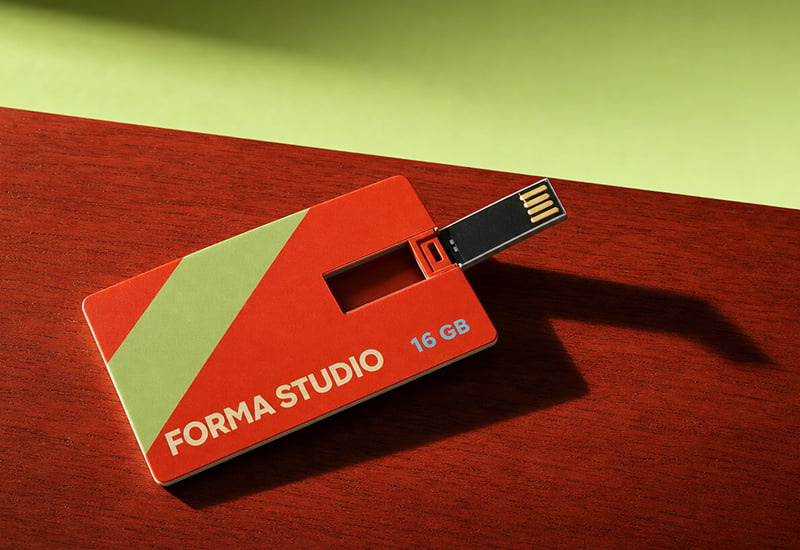
- Card format — as flat as a credit card, designed to end up in a wallet rather than on a keyring. Ideal when the drive needs to accompany printed materials (brochures, business cards) as part of a coordinated kit. That’s the case with the Slim Card USB Stick – 4 GB.
How a USB flash drive is customised: the techniques, in practice
Here too, generic guides tend to just list the names of the techniques without explaining why you’d choose one over another. Let’s be more useful.
- Laser engraving — physically engraves the material, so the result is permanent and won’t fade over time. It’s the best option for metal and wood, giving an elegant, “premium” finish. The limit: it works well for simple logos, less so for very colourful or detailed graphics.
- Digital UV printing — deposits coloured ink directly onto the surface, cured with UV light. It’s the right technique when the logo has several colours or fine detail, and it’s the most common choice for plastic and card-format drives.
- Screen printing — a more traditional technique, cost-effective for large quantities, but less suited to logos with gradients or many colours.
- Pad printing — useful on small or slightly curved surfaces, where other techniques would struggle to apply evenly.
In short: metal and wood → laser engraving; plastic and card format, especially with colourful logos → digital UV printing. It’s not a hard rule, but it’s the criterion that simplifies the decision in most cases.
USB flash drive or cloud? Why the physical object still wins in marketing
It’s worth tackling this question head-on, because it’s the one many businesses ask themselves before ordering: “does it still make sense, in 2026, to give away a USB flash drive instead of simply sending a link?”
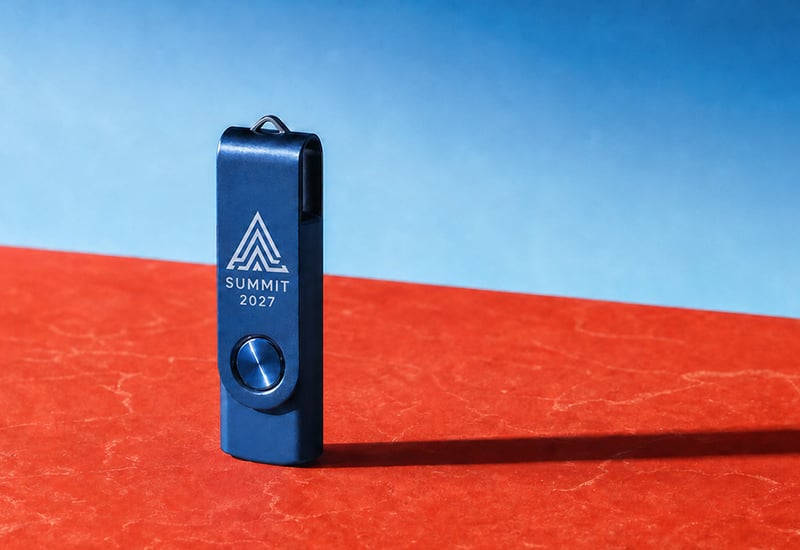
The honest answer is: it depends on the goal. If the goal is purely to transfer a file, a cloud link is faster, cheaper and requires no logistics. But if the goal is marketing — that is, keeping the brand visible over time — a physical object has an advantage no link can replicate: it stays on a desk, in a drawer, hanging from a keyring. Every time it’s used, the logo is back in front of whoever owns it. A link clicked once disappears from the browser history the next day.
It’s no coincidence that USB flash drives remain among the most widely distributed corporate items at trade fairs and conferences: they combine genuine usefulness (people really do use them) with a lasting physical brand presence — something few other promotional items manage with the same balance of cost and impact.
Where they work best: the most effective uses
- Trade fairs and corporate events — distributed in bulk, often pre-loaded with digital catalogues or brochures, to give stand visitors something tangible to take away.
- Welcome kits for new employees — a practical (and well-received) way to hand over company documentation, policies, and onboarding materials.
- Gifts for clients and partners — particularly in the metal or wood versions, they work well as a gesture of goodwill that leaves a more lasting impression than an email.
- Training and educational materials — for courses, workshops, and presentations that participants need to be able to access offline too.
Minimum order quantities, delivery times and budget: what to expect
It’s important to be transparent here: commercial terms (minimum order quantity, production times, price brackets) vary from supplier to supplier and from model to model, so there’s little point giving generic figures that could be misleading or out of date within a few months. The practical advice is to always check the current terms directly on the product page you’re interested in, as these can also shift depending on the time of year (demand predictably rises ahead of the autumn trade fair season, for example) and on the specific model’s stock availability.
What does hold true as a general rule: the larger the order quantity, the lower the unit price — a principle common to almost all mass-produced customised products.
Checklist before you order
- Have you worked out the capacity (GB) based on the actual content you want to load, rather than just “as much as possible”?
- Have you checked whether printing is available on one side or both sides of the device?
- Does the chosen material (plastic, metal, wood) match the image you want to convey?
- Is the printing technique suited to your logo (colours, detail, gradients)?
- Do you already know whether you need a data pre-loading service, or will you handle that in-house?
- Have you checked production times against your event date or delivery deadline?
- Have you checked the minimum order quantity for your chosen model?
Frequently asked questions
Can I have my files pre-loaded directly onto the drive?
Many suppliers offer a data pre-loading service, useful if you want the drive to arrive ready-loaded with catalogues, presentations or training materials. It’s an add-on service on top of standard branding, so it needs to be requested explicitly and confirmed when you place your order.
Can a custom USB flash drive be printed on both sides?
It depends on the model: some allow it, others only offer front-side printing. It’s one of the details most easily overlooked when choosing, so it’s always worth checking before you finalise the artwork.
How long does a custom USB flash drive last?
The electronic component has a lifespan comparable to any good-quality flash drive. The branding itself, if applied via laser engraving, tends to stay intact for longer than surface printing, which can show signs of wear under very heavy daily use.
Does it still make sense to give away a USB flash drive instead of sharing a link?
Yes, if the goal is long-term brand visibility rather than just transferring a file. A genuinely useful physical object stays in circulation — and in view of whoever uses it — for far longer than a link clicked just once.
Which material should I choose for a more sustainable brand image?
Wood and bamboo are the most coherent options for sustainability-focused messaging, both for the material itself and for the visual effect, which reads as more natural and less “disposable” than plastic.
The USB flash drive: a promotional item worth having
Custom USB flash drives aren’t an “old-fashioned” piece of corporate merchandise that’s simply survived out of habit: they’re one of the promotional items that best combine genuine usefulness with lasting brand presence, precisely because — unlike a link or an email — they end up physically in the hands of whoever receives them. The right choice isn’t the one with the most GB or the cheapest material, but the one built around how it will actually be used: who will receive it, what it needs to hold, and what image of your brand it should convey every time someone plugs it into a USB port. Discover the full range of custom USB flash drives from Pixartprinting to find the model best suited to your project.