


Table of Contents
There is no such thing as a “standard” brochure. What does exist is a system of paper sizes designed to avoid waste, and understanding its logic is the difference between a brochure that slips neatly into a display holder, an envelope and a jacket pocket, and one that has to be trimmed, redone and reprinted. This guide walks through the sizes people actually use, explains the difference between open and closed size (the number one cause of wrong orders) and finishes with the rules for a print-ready file: bleed, safe margin and everything else you need so that what you designed on screen is what comes off the guillotine.
Brochure, leaflet, folded flyer, booklet: sorting out the terminology
Before we get to centimetres, a word about words. “Brochure” is an elastic term in English, and people often argue about what is actually being ordered.
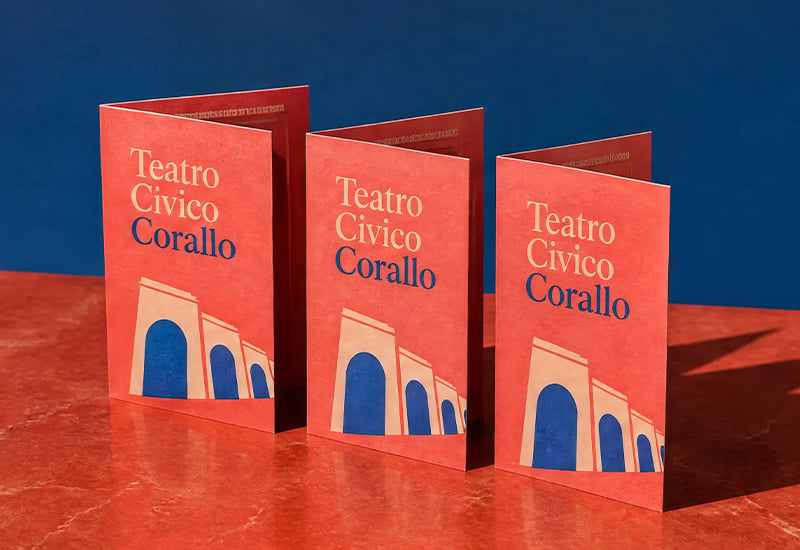
- Folded leaflet, folded flyer or folded brochure: a single sheet, printed on one or both sides and folded. Pixartprinting uses all three names for the same family of products, which you will find under folded leaflets and folded brochures. This is the product most of this guide is about.
- Brochure or booklet (bound): several sheets printed, cut and bound together. In the booklets and brochures section you will find stapled binding (“fast to produce and highly cost-effective”, ideal for brochures, price lists, programmes and short publications) and a special-finish stapled version. Perfect binding, where pages are glued into a spine, is the other classic option for longer publications, and it is what you will see on a catalogue.
- Leaflet or flyer: in everyday use, the same thing: a single printed sheet, not folded.
The practical rule: if your content fits on one folded sheet, it is a folded leaflet. If it needs pages that turn, it is a booklet.
Open or closed: the difference that stops you ordering the wrong size
Here is the most frequent mistake: picturing an “A5 brochure” and ordering an A5 sheet, only to discover that the finished object is half the size you had in mind. In the Pixartprinting catalogue, folded leaflet sizes are listed as the open size (the sheet before it is folded). The closed size, the one you hold in your hand, depends on the fold.
Pixartprinting counts the sides of the folded sheet as panels: a single fold gives 4 panels, two folds give 6, and so on. The closed sizes in the table below are a theoretical calculation (open size divided by the number of folds), not a product specification. So before you start laying out, always download the template for the fold and size you choose.
| Open size | One fold (4 panels) | Two folds (6 panels) |
| A5 · 14.8 × 21 cm | 10.5 × 14.8 cm (A6) | n/a |
| A4 · 21 × 29.7 cm | 14.8 × 21 cm (A5) | approx. 9.9 × 21 cm (DL) |
| A3 · 29.7 × 42 cm | 21 × 29.7 cm (A4) | approx. 14 × 29.7 cm |
| A2 · 42 × 59.4 cm | 29.7 × 42 cm (A3) | approx. 19.8 × 42 cm |
| 15 × 42 cm | 15 × 21 cm | approx. 15 × 14 cm |
| 17 × 24 cm | 12 × 17 cm (folded along the long side) | approx. 8 × 17 cm |
The right question is not “what size do I want?” but “what size do I want in my hand, and how many folds does it need?”. From there you can work back to the sheet you need to order.
The sizes, one by one
The folded leaflet catalogue offers six open sizes: A5, A4, A3, A2, 15 × 42 cm and 17 × 24 cm.
A5 (14.8 × 21 cm open). Folded in half it becomes an A6: a pocket-sized format that fits in a bag, a jacket or a trade show folder. Good for menus, event programmes and short brochures with limited information. If your copy is long, you will feel the squeeze.
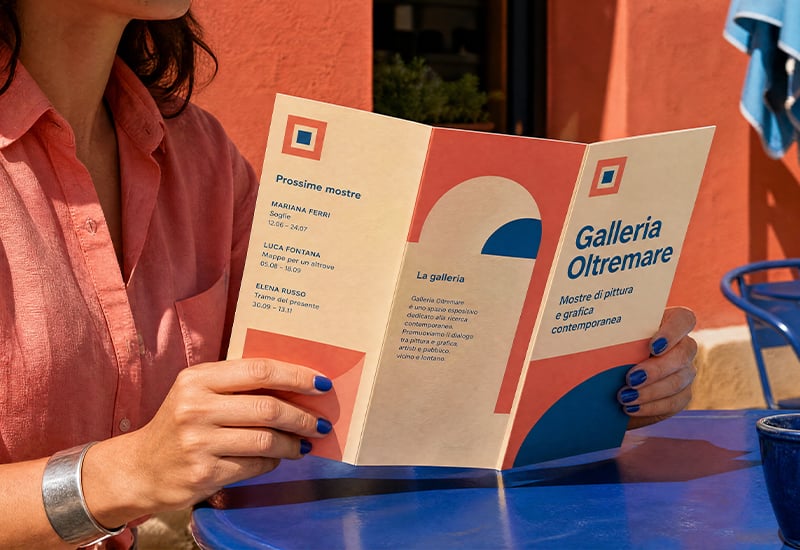
A4 (21 × 29.7 cm open). The most versatile format. Folded once it is an A5 with four comfortable panels; folded twice into three sections it is the classic “envelope” leaflet with six panels. It is a sensible starting point for most company brochures.
A3 (29.7 × 42 cm open). Closed, it becomes an A4: well suited to a presentation brochure that has to make an impression, with large photos and plenty of breathing room. It takes up more space, but holds its own on a table, in a meeting room or on a shop counter.
A2 (42 × 59.4 cm open). The “map” format: closed it is an A3, open it almost looks like a poster. It makes sense for tourist maps, floor plans and infographics that read better unfolded than page by page.
15 × 42 cm. A long, narrow format, useful when the layout runs lengthways or when you want a brochure that flows from one panel to the next.
17 × 24 cm. A less standard format than the A5 and more compact than the A4: a good choice if you want a folded leaflet with a different proportion from the usual.
DL (approx. 99 × 210 mm closed). Not a catalogue size in its own right but the result of folding an A4 into three: the classic format for envelope-sized leaflets. (We explain below why the abbreviation causes confusion.)
For a deeper look at single-sheet sizes, Pixartprinting’s flyer size guide covers A6, A5, A4 and DL in detail.
Did you know? Why is A4 210 × 297 mm?
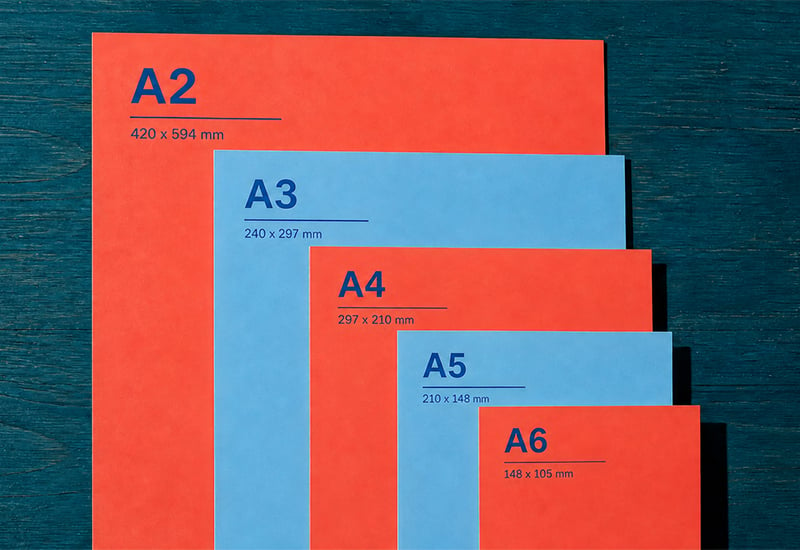
Paper sizes are not random. The A series follows the international standard ISO 216: every size has the same ratio between its sides (√2, roughly 1:1.414) and is obtained by cutting the previous size in half. Two A4 sheets side by side make an A3; two A5 make an A4; and so on. The starting point is A0, defined as having an area of one square metre, and everything else follows from it: an A4 is one sixteenth of a square metre, which in 80 gsm paper weighs 5 grams.
The underlying idea is centuries old: on 25 October 1786 the German physicist Georg Christoph Lichtenberg wrote to Johann Beckmann about the advantages of a format based on this ratio (source: Wikipedia, International standard paper sizes), and in 1918 the engineer Walter Porstmann argued that the system should be based on area rather than length. The German standard DIN 476 followed in the early 1920s (sources give dates between 1921 and 1923), and the system became an international standard with ISO 216 in 1975. The version in force today is ISO 216:2007, confirmed in 2021.
The consequence for you is very practical: folding a standard ISO size in half produces another standard ISO size. That is why an A4 folded once gives an A5 with no waste, and why non-standard formats need more attention on paper and production.
The fold changes everything
The same sheet can become very different brochures depending on how you fold it. The Pixartprinting catalogue describes folds by their number and the resulting panels:
- One fold, 4 panels. The simplest: a cover, two inside panels and a back. Ideal for essential content and for the “open it and it is all there” effect.
- Two folds, 6 panels. The classic folded leaflet: a cover, a panel that opens first, a closing panel. Each panel has a job, so the content can be told in sequence. On the brochure templates page you will find single folds as well as Z-fold and accordion styles.
- Three folds, 8 or 12 panels, and four folds, 10 panels. For richer brochures. With more folds, the template becomes indispensable.
- Four to seven folds, up to 36 panels. The catalogue goes up to a 36-panel brochure with seven folds. At those numbers it is worth asking whether the content would work better as a booklet.
One piece of advice that holds for all of them: more panels does not mean more effectiveness.
Choosing the size by how you will distribute it
The right size is the one that suits your distribution channel, not the one you like best on screen.
- Counter display or leaflet holder. Start from the pocket: check the pocket size on each model in the counter displays range. For example, the York holder has a pocket for A5. A leaflet that is closed to A5 is the one that will fit; if you are working with a DL, confirm the pocket width first.
- Direct mail, in an envelope. DL is the format designed for this: a leaflet of about 99 × 210 mm slides into a DL envelope without further folding.
- Trade shows and conferences. Here you will almost always work with open A4 or A5: the brochure has to fit in a bag, a folder or a pocket.
- Handed over in person, in a shop or an office. Free rein: closed A4, or a folded A3 when impact matters more than portability.
DL envelope versus DL leaflet
“DL” is confusing because it names two things that are close but not identical. The DL envelope measures 110 × 220 mm and is designed to hold one third of an A4, in other words an A4 folded in three; the DL leaflet measures about 99 × 210 mm, a third of an A4, so it slides into the envelope with a little room to spare (source: Wikipedia, Envelope). The abbreviation is generally traced back to “DIN lang” (German for “DIN long”), and the format to the 1920s; for the envelope, the ISO 269 standard was withdrawn in 2009 without a replacement.
Folded leaflet or booklet?
The right question is: does the reader need to flick through it? A folded leaflet opens and reads “at a glance”: each panel has a job and the folds guide the reading path. A booklet is made of pages that turn one after another, like a small book, joined with simple metal staples (stapled binding) or, for longer publications, glued into a spine (perfect binding).
So: if you want an object that opens and makes sense in ten seconds, at a stand or on a counter, stay with the folded leaflet. If you have price lists, programmes, catalogues or content that needs a sequence of pages, it is time to move to a booklet.
Size and print file: the settings that avoid surprises
Choosing the right size is half the job. The other half is preparing a file that survives the guillotine. These are the two essential settings:
| Setting | Required measure | Purpose |
| Bleed | 1 mm per side | Avoids thin white edges after the sheet is trimmed |
| Safe margin | 3 mm from the edge | Protects important text and graphics from the risk of being cut off |
In practice, for an open A4 (210 × 297 mm) the file should measure 212 × 299 mm, with everything important (text, logos, phone numbers) at least 3 mm from the finished edge. Backgrounds, solid colours and full-page images, on the other hand, must run all the way to the edge of the bleed: if they stop at the finished edge, even a perfect cut can leave a thin white line.
A few other good practices, in order of importance:
- Start from the template. Download the Template and Instructions from the product page: every fold has its own creases, and using the template saves you calculating them by hand.
- Export the PDF at 1:1 scale, at the final size plus bleed, not resized.
- Keep text away from the folds. A fold is a line where the paper bends and can shift slightly: words and faces that fall across it are the first to suffer.
- Check before you upload: the open size, the panels, the fold lines, the bleed, the margins and the reading order of the panels.
The most common mistakes
- Ordering a closed size as if it were open (or the other way round), and getting a brochure half or double the size you expected.
- Forgetting the bleed: white edges around the perimeter, a flaw you spot instantly.
- Putting text too close to the edge, at the risk of it being trimmed.
- Ignoring the fold lines on the template: in leaflets with several folds, important elements that land on a crease are hard to read.
- Choosing too many panels for content that would only need four.
- Ignoring the distribution channel: a beautiful closed A4 that does not fit the display holder is no use to anyone.
Checklist before you order
- [ ] I know whether the size I am ordering is the open or the closed size.
- [ ] I chose the number of panels based on the content, not to fill space.
- [ ] The closed size fits where it will be distributed (envelope, holder, pocket).
- [ ] I used the template for the chosen fold.
- [ ] The file has 1 mm of bleed per side.
- [ ] Text and logos are at least 3 mm from the edge.
- [ ] Nothing important falls across a fold line.
- [ ] The PDF is at 1:1 scale.
Frequently asked questions
What is the most common brochure size? It depends on the use, but open A4 is the most common starting point: folded once it gives an A5, folded in three it gives a DL. If you have no special requirements, it is the safest choice.
What is the difference between an A5 and an A4 brochure? It depends on what you mean: an A5 can be an open sheet of 14.8 × 21 cm, or an A4 folded in half. In the Pixartprinting catalogue the sizes listed are open sizes.
How many panels can a folded brochure have? In the Pixartprinting catalogue, from 4 panels (one fold) up to 36 panels (seven folds).
What does DL mean? It refers to the format of one third of an A4, about 99 × 210 mm for the leaflet. For the matching envelope, the abbreviation is generally attributed to “DIN lang”; the DL envelope measures 110 × 220 mm.
How much bleed does a brochure need? 1 mm per side, with important text at least 3 mm from the finished edge.
When is a booklet better than a folded leaflet? When the content has to be flicked through, as in a catalogue, price list or portfolio, rather than taken in “at a glance” as in a folded leaflet.
Where to start
If your project is a folded sheet, the starting point is folded leaflets: choose the size and fold, download the template and lay out your artwork. If you would rather begin from a ready-made layout, take a look at the brochure templates. And if you need pages that turn, there are booklets and brochures.
Sources
- ISO 216:2007: standard in force, confirmed in 2021; the 1975 edition was withdrawn.
- Wikipedia, International standard paper sizes: Lichtenberg (25 October 1786), Porstmann (1918), DIN 476, ISO 216 (1975).
- Wikipedia, ISO 216: √2 ratio, A0 = 1 m², A4 at 80 gsm = 5 g.
- Wikipedia, Envelope: DL envelope 110 × 220 mm, one third of A4, “DIN lang”, ISO 269 withdrawn in 2009.
- Pixartprinting UK product pages: folded leaflets, folded brochures, booklets and brochures, catalogues, counter displays, York A5 holder, brochure templates, flyer size guide.